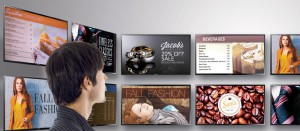
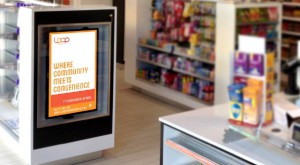
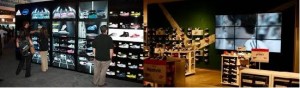
THE EntityStre@M Platform promises to significantly reduce the cost and complexity of digital signage for use in simple networks like menu boards, retail advertising, promotions, brand messaging, event messaging, campus information BUT also in large scale deployments like city-wide street level Advertising and Info Kiosks.
Companies and Professionals can deploy digital signage for such purposes faster than ever, while reducing the total cost of ownership. Our platform leverages the power of web-based programming languages – HTML5, CSS3, and JavaScript – so even companies without extensive IT departments can support custom applications for their digital signage networks.
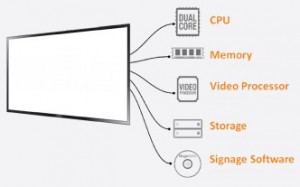
EntityStre@M creates an all-in-one device requiring minimal technical set up. As a result, businesses have a true plug-and-play solution, from content creation and installation, to software upgrades and network monitoring.
Of course, digital signage is only as valuable as the content being displayed on it. EntityStre@M provides the ability to display content directly from our cloud-based servers, which generates cost-savings and ease of use.
Since EntityStre@M supports the latest web technologies like HTML5, our application developers with excessive mobile and Internet experience can create custom content for various commercial domains, further reducing costs and ensuring a consistent brand image and single source service provision.
EntityStre@M DashBoards
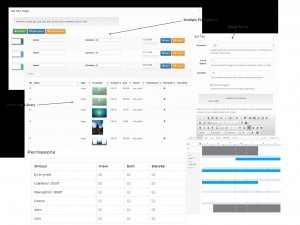
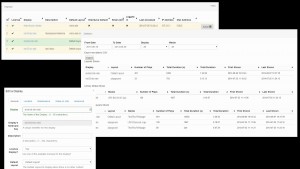
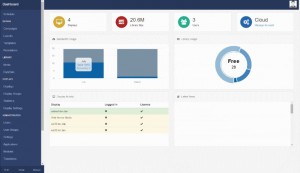
EntityStre@M supports the simple AND the complex scalable DS scenario in one versatile platform. New custom-made modules can be developed to add additional features for specific functionality.
Displays
Each Display represents a connected signage player and is used to schedule Layouts to be shown.Displays can be put into Groups for easy Scheduling and Management. EntityStre@M monitors each Display for bandwidth usage, log in / out events, proof of play statistics and much more. Displays have a default Layout to be shown when nothing else is scheduled.
Media Support
EntityStre@M supports most types of media you might want to use and we have made it as easy as possible to add. Media that exists in the Library is media that has been uploaded into the Full-fledged CMS, such as Video or Image files. One can access the library at any time and get a clear list of files uploaded. Some media only exists on a Layout, for example an RSS Ticker or text.
Layouts
Layouts represent the design of the content and typically consist of a background image overlaid with one or more Regions. Each Region holds a Timeline which is a list of media that should be played. Layouts can be previewed directly in the CMS so one can see how each Layout will look before releasing it to any Display clients. Layouts can be grouped into Campaigns for easy management.
Scheduling
Layouts are scheduled to Displays for playback. Scheduling in EntityStre@M only requires a from date, a to date and a tick next to the Display that should show the Layout. Priority schedules can be set to override other content. Events can be repeated at predefined intervals – from hourly to annual repeats.
Schedule Now Feature: Need to quickly schedule something to run now? Schedule Now is accessible from the Layout or Display management and only needs a duration.